Status and remote control
- Discuss which features you want and confirm that the proposed model supports them.
- App functions, account requirements and optional services vary by product.

Quick Springs Garage
App control is one part of an opener installation. We assess the door, the proposed equipment and the connection requirements so mechanical operation and connected features can be checked together.
Plan the work
Service details
Describe what you want to do from your phone: check a displayed status, receive a notification or operate a supported control. Ask the proposal to identify which of those functions the selected model provides. An app name alone does not establish the complete feature list for an installation.
Include the account and connection requirements in the discussion. If an optional service or subscription is involved, ask which function it affects. Choose from the product information supplied for the proposed equipment instead of assuming that every connected opener includes the same controls and services.
List the physical controls currently used by the household. Explain whether you want to retain them, replace them or provide access to another user. Compatibility should be checked for the actual controls and operator, rather than assumed from their appearance or the name of a manufacturer.
Ask the estimate to distinguish included accessories from optional items. During handover, make sure the people who use the garage understand the controls provided. A connected app does not remove the need to discuss ordinary access and the product instructions for the installed physical equipment.
If a camera, vehicle connection or home-automation feature matters to you, name it before equipment is selected. These are requirements to verify, not features to presume. Ask about the exact supported integration and whether additional equipment or a separate service is needed.
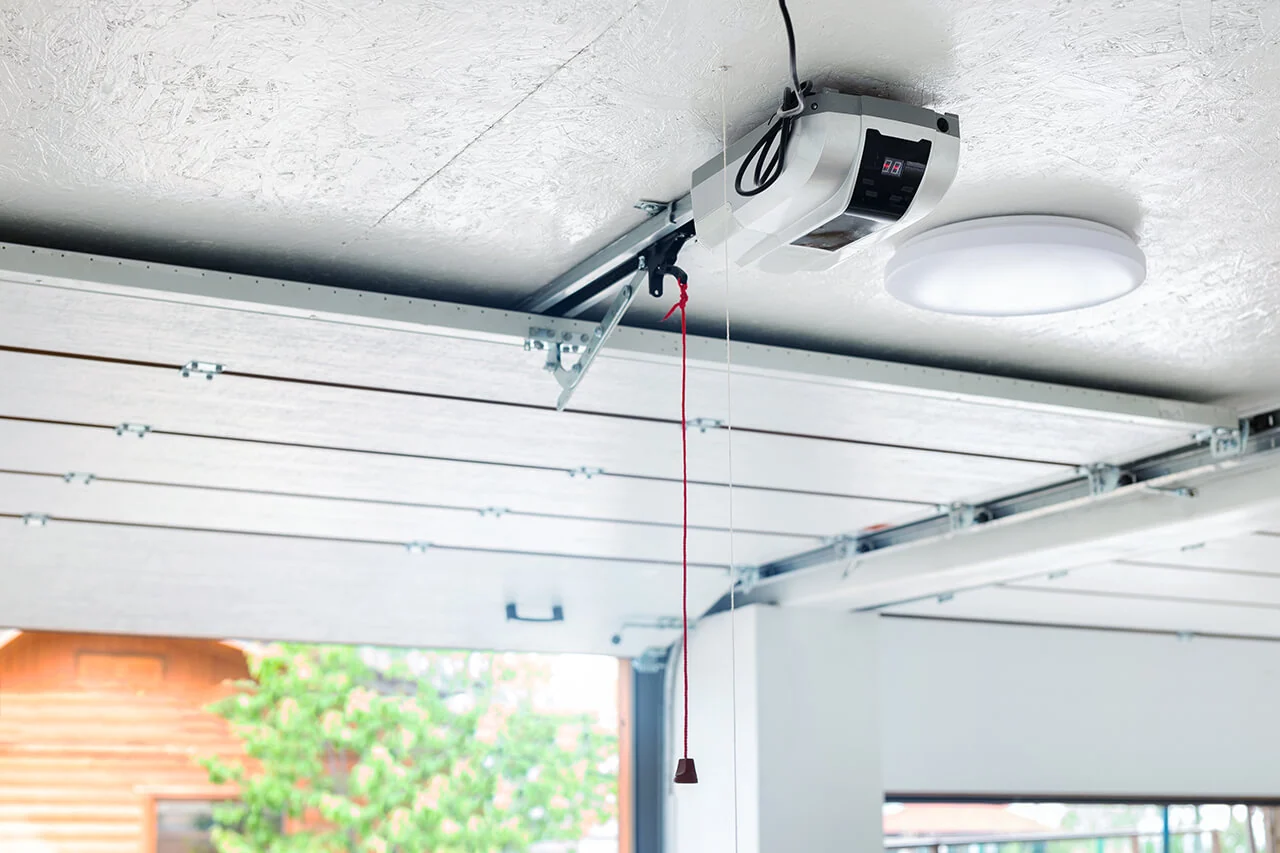
Keep the product documentation with the proposal. A photograph of an opener or a broad smart-home label does not confirm that a particular feature is included. If the selected option changes, review the feature list again so the replacement proposal still addresses the functions you actually requested.
Understand the options
Plan your visit
The enquiry should describe the door as well as the desired connected features. Mention any unusual movement, visible damage or existing operating problem. The inspection can then consider the mechanical system alongside the proposed operator rather than treating an app connection as the whole installation.
If repairs are recommended before or with the opener work, ask for them to be explained separately. You should understand which work addresses the existing door and which provides the selected controls. Keep those distinctions in the estimate so the scope remains clear when equipment is chosen.
Tell us about ceiling storage, fittings or other features that may affect the proposed installation. If you are considering a different mounting arrangement, explain the reason, such as a planned change in how the garage is used. Do not purchase equipment based only on a picture of a similar space.
Ask the assessment to establish whether the selected product fits the door and available installation area. Different arrangements have their own requirements. The proposal should identify the equipment being considered and any associated work, rather than promising that one style is suitable for every garage.
Describe an existing connection problem if it is relevant, and tell us whether you already use connected equipment in the garage. The selected product's setup requirements should guide the discussion. An installation enquiry does not require sending a Wi-Fi password or an account password through a general contact form.
Plan for the account holder to be available during setup where needed. Enter credentials yourself using the appropriate product process. If someone else manages the network or property account, arrange their involvement beforehand rather than leaving the ownership and access decisions unresolved at handover.
Discuss the details
Review the options
Before approving the work, confirm the proposed operator and included accessories. Ask which existing items remain compatible and which would be replaced. If an alternative product is proposed, compare its supported functions with your original requirements rather than relying only on the general description of a smart opener.
Keep the estimate with the manufacturer's information for that equipment. This provides a reference for questions about controls, optional services and setup. It also helps distinguish functions included in the installation from additional features that were discussed but not selected or purchased.
Decide who will control the connected account and how other users will receive access through the product's supported process. This is especially useful in a rental or managed property, where the person present for installation may not be the long-term account holder.
Use the intended owner's account rather than a temporary personal account that would complicate a later handover. Ask how access can be reviewed or removed using the selected service. Keep passwords out of invoices, maintenance notes and general messages; retain equipment identification and the appropriate account-holder contact instead.
At handover, ask to see the controls and selected connected functions explained on the installed system. Discuss any feature that has not been configured or is outside the agreed scope. Product limitations are easier to understand when tied to the actual controls you will use.
Keep the applicable setup and operating instructions. If a notification or display is unfamiliar, ask what it means for that model. Do not assume that an app status replaces checking the door's condition or that successful account setup establishes that every mechanical and safety check has been completed.
Related services
Reference: myQ: setup and compatibility guidance. Product requirements must be checked for the proposed installation.
Keep a useful record
Ask what the selected equipment's instructions say about an internet interruption and a power interruption. These are separate conditions. Request clarification about physical controls, app functions and any battery option included in the proposal, rather than expecting every function to remain available in every situation.
If backup capability matters to you, confirm the actual product and its stated limits before approval. A connected opener should not be viewed as uninterrupted access during an outage. Retain the instructions so the household can refer to the requirements of the installed model.
A later change in device, network or occupancy may require reviewing the connected setup. Keep the operator's model information and the identity of the account holder available. Use the selected service's supported instructions when discussing a change rather than creating an unrelated account as a workaround.
For a property handover, include equipment records with the maintenance information and arrange the appropriate account-access review. Do not pass passwords around as part of general property correspondence. The objective is a clear owner and an understandable access arrangement for the system that is actually installed.
If a connected feature stops working, describe the message shown and whether the physical controls still respond. Include the operator model and whether the phone, network or account recently changed. Those observations help distinguish the kind of enquiry without requiring you to diagnose the fault yourself.
Avoid resetting equipment repeatedly before recording the original symptom. Ask for guidance appropriate to the selected model and keep any error information available. If the door also appears damaged or moves abnormally, describe that separately so the discussion includes the mechanical condition as well as connectivity.
Questions
Not always. Some existing models support compatible accessories. Check the exact make, model and manufacturer requirements before purchasing equipment.
No. Features, compatible services and any subscription requirements depend on the product. Confirm the functions you need before agreeing to installation.
Provide the service ZIP code, existing opener model if known and the functions you want. Do not send account passwords or Wi-Fi credentials in the enquiry.
Appointments
Include your ZIP code, the door’s current position and the work you want to discuss. We confirm availability and the next step when reviewing your request.
Leave your contact details and location so we can discuss your garage door and scheduling.